Guide
AI Phone Screening Explained: How It Works, What to Expect, and When to Opt Out
Summary of the Article
"AI phone screening" means two different things. In hiring, an AI agent calls job candidates (or takes their calls) and runs a structured interview, then scores the transcript for a recruiter. In your personal phone life, AI call screening is a tool that answers unknown callers, asks who they are and why they're calling, and shows you a transcript before your phone even rings.
- If an AI recruiter calls you: expect structured questions, a robotic voice that follows up literally, and a transcript the employer reviews later. You can usually ask for a human, and nobody has to accept a robo-interview.
- If an AI sales caller calls you: AI-generated voice robocalls are illegal without your consent under FCC rules, and you can opt out of telemarketing robocalls at any time in any reasonable way.
- To screen calls yourself: Google Pixel's Call Screen and the iPhone's iOS 26 "Ask Reason for Calling" both answer unknown callers for free. They identify the caller, show you a transcript, and Pixel can even hang up on detected spam. What they don't do is qualify a sales pitch or decide what reaches your calendar.
- If you get a steady stream of inbound pitches, a dedicated screener that qualifies calls before they book time with you is worth a look.
You've probably landed here because a call just happened to you. Maybe a cheerful synthetic voice called you about a job application, asked a rapid series of questions, and hung up. Or maybe your phone has started answering calls for you and you're wondering what exactly is talking to people on your behalf. Both experiences fall under the same search term, so let's untangle them.
The two meanings of AI phone screening
The phrase covers two separate technologies that sound similar:
1. Hiring-side screening. A company uses an AI voice agent to run first-round phone interviews with job candidates. Tools like PhoneScreen.AI and heymilo.ai let employers run automated audio interviews by phone or browser, and hireez positions AI phone screening as a way for recruiting teams to screen more candidates faster. The AI asks questions, transcribes the answers, scores them against a rubric, and hands the recruiter a ranked shortlist.
2. Receiver-side call screening. Your phone (or a service you use) intercepts unknown callers before you pick up. An assistant asks who's calling and why, transcribes the answer, and lets you decide whether the call is worth taking. This is the version most useful to you if you're drowning in sales pitches, because it's the side where you actually have control.
How an AI screening call actually works
Whether the AI is interviewing you or screening a caller for you, the mechanics are roughly the same:
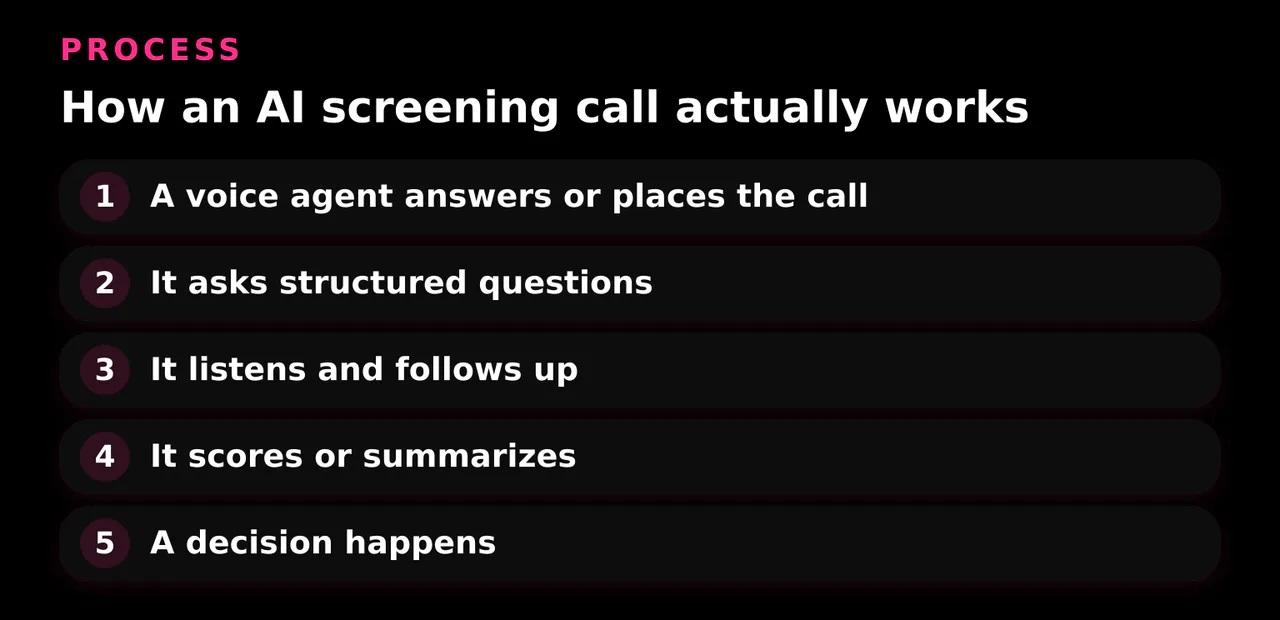
- A voice agent answers or places the call. It greets the caller and states its purpose, sometimes, though not always, clearly identifying itself as an AI.
- It asks structured questions. In a hiring call, those follow a script the employer configured: role basics, experience, availability. In call screening, the questions are simpler: who are you and why are you calling?
- It listens and follows up. Modern agents aren't pure scripts. They transcribe the answers in real time and can ask follow-up questions based on what the caller said.
- It scores or summarizes. A hiring agent produces a transcript, a score against the job's criteria, and sometimes a recording. A screening assistant produces a transcript or short summary for you to read.
- A decision happens. A recruiter reviews the ranked candidates. Or you glance at the transcript and decide whether to pick up.
The key thing to understand: the AI is not judging you as a person. It's converting a conversation into text and numbers that someone or something else will act on.
What an AI phone screening call asks you
If you're a job candidate, expect questions like:
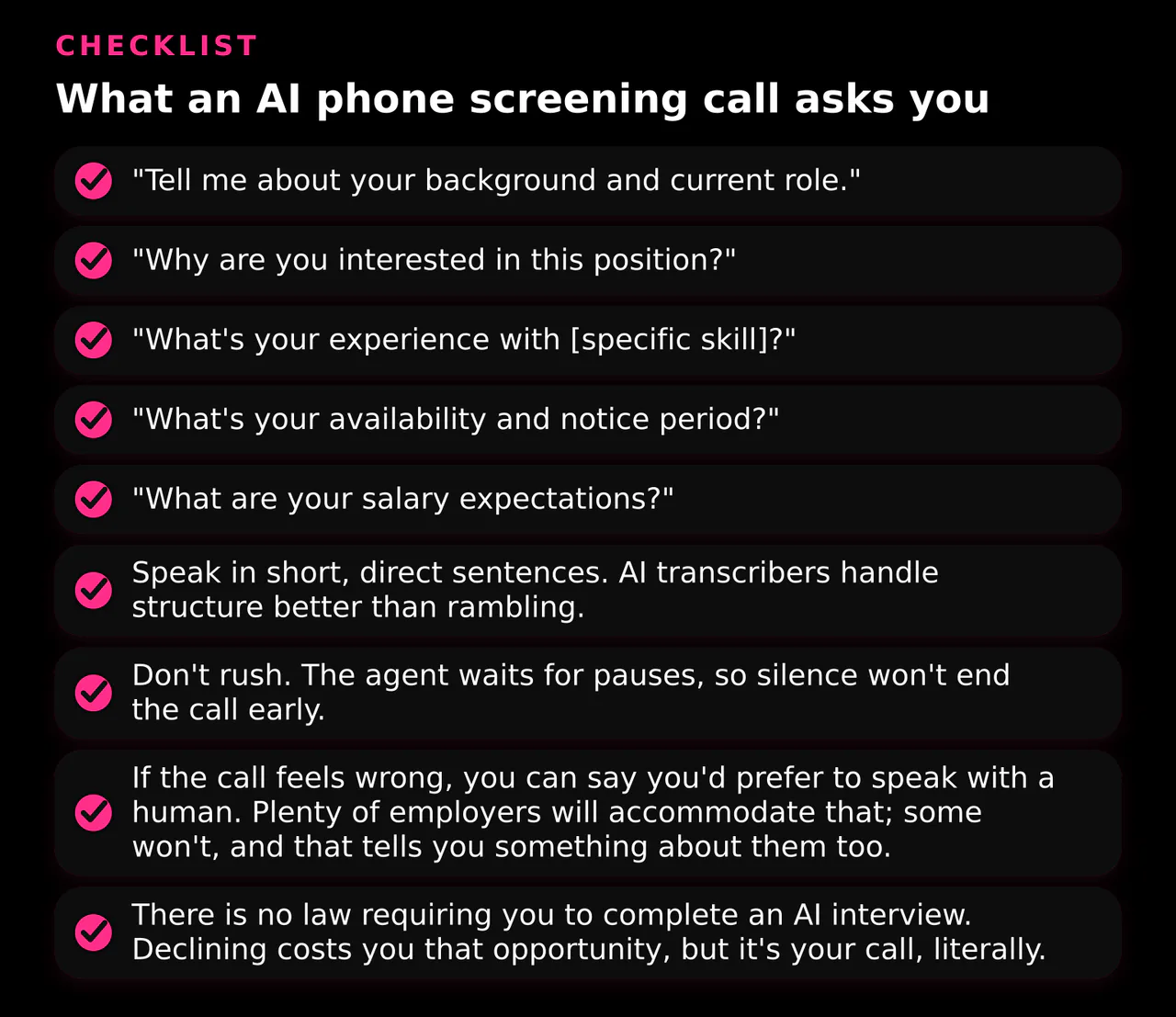
- "Tell me about your background and current role."
- "Why are you interested in this position?"
- "What's your experience with [specific skill]?"
- "What's your availability and notice period?"
- "What are your salary expectations?"
The experience differs from a human call in ways people find jarring. A widely shared post on r/recruitinghell titled "Just got my first 'AI HR screening call'. Oh, dear." captures the common reaction: the voice sounds human enough to be unsettling, it never deviates from its script, it may stumble on unusual answers, and there's no rapport to build. One anecdote isn't data, but it's a fair picture of what a first AI screening call feels like.
Practical tips if you get one:
- Speak in short, direct sentences. AI transcribers handle structure better than rambling.
- Don't rush. The agent waits for pauses, so silence won't end the call early.
- If the call feels wrong, you can say you'd prefer to speak with a human. Plenty of employers will accommodate that; some won't, and that tells you something about them too.
- There is no law requiring you to complete an AI interview. Declining costs you that opportunity, but it's your call, literally.
Should you opt out of AI screening?
This question has two answers depending on which side of the call you're on.
As a job candidate: opting out is legal and simple. AI screening is a hiring tool, not a requirement. The tradeoff is practical, not legal: some companies will only offer a human interview after the AI round, so opting out may mean waiting longer or being passed over. If the call itself was an unsolicited pitch dressed up as an opportunity, different rules apply, see the next part.
As a call recipient: this is where your rights are firmer. Under the Telephone Consumer Protection Act, FCC rules require callers to get your prior consent before making prerecorded or autodialed telemarketing calls to your phone. The FCC's consumer guidance on robocalls states that AI-generated voice calls are illegal unless you agreed to receive them, and that you may opt out of any robocall at any time and in any reasonable manner, even if you previously gave consent. A 2024 FCC ruling made clear that AI-generated voices count as "artificial" voice under the law.
One nuance: rules about call disclosure were still being proposed as of 2024, so don't assume every AI-assisted call you receive is legally required to announce itself. The practical move is the same either way: you can ask who's calling, ask whether you're speaking to an AI, and hang up or request no further calls.
Screening calls yourself: what your phone can already do
You don't need to buy anything to stop answering cold calls blind. Your phone probably has a built-in option.
Google Pixel Call Screen. On Pixel phones, Google's Call Screen answers unknown callers on-device, asks who's calling and why, and shows you a live transcript. Automatic screening has three protection levels, detected spam gets hung up automatically, and every screened call saves a transcript on your phone. Two limits worth knowing: automatic screening doesn't work with call forwarding, so screened calls won't forward, and Google notes it won't always fully understand or transcribe what a caller said.
iPhone, iOS 26. Apple added Screen Unknown Callers with an "Ask Reason for Calling" mode. The iPhone automatically answers calls from unsaved numbers, asks for their name and reason, transcribes the response, and only rings you after the caller responds. It's a solid gatekeeper, though some testers (like Tom's Guide's hands-on comparison) found iOS screening more limited than Pixel's contextual replies. Treat that as one reviewer's opinion, but the structural difference is real: Apple asks for a reason and shows it to you; Pixel can also auto-hang-up on detected spam.
Both tools share the same ceiling: they tell you who is calling and roughly why, then leave the judgment to you. For robocalls and spam, that's plenty.
When built-in screening isn't enough
If your problem is one-off robocalls, stop reading and turn on Call Screen or Ask Reason for Calling. Done.
But many people have a different problem: their phone number or calendar is a magnet for inbound sales pitches. Consultants, founders, fractional executives, anyone whose contact info circulates in buying committees gets a steady stream of "quick 15 minutes?" requests. For that volume, a transcript of who's calling isn't enough. You need qualification: which of these pitches is worth a meeting, and which should never reach your calendar?
That's the gap a dedicated screener fills, and it's why we built Let's Not Have a Call. It's an AI meeting screener that qualifies inbound sales pitches before they reach your calendar. Instead of your phone asking a caller why they're calling and handing you a transcript to judge, a dedicated screener runs the qualification itself: it engages the pitch, figures out whether it's relevant to you, and only the worthwhile ones get through to your schedule. The rest never book a meeting.
The tradeoff is straightforward: built-in tools are free and zero-setup but shallow; a dedicated screener takes setup and exists to enforce your calendar policy for you. If you field several pitches a week, the math usually favors the dedicated tool. If you get one cold call a month, it doesn't.
How to evaluate any screening tool
Whether you're comparing built-in options or a dedicated service, judge it on five things:
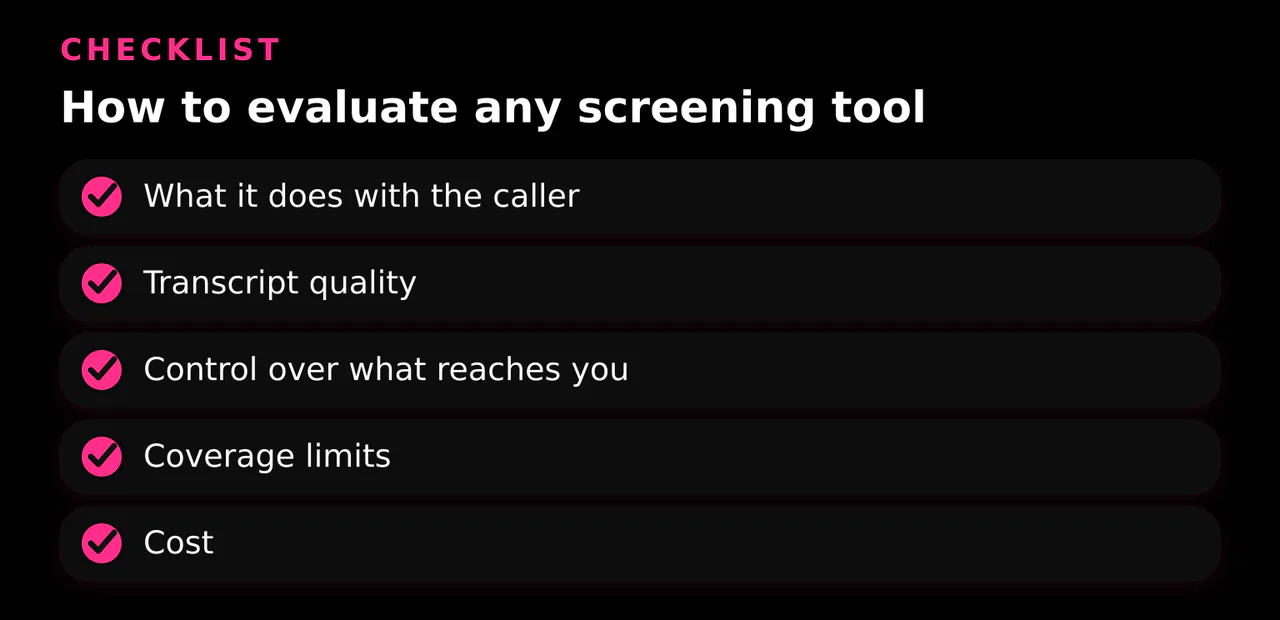
- What it does with the caller. Blocks? Transcribes? Asks a reason? Runs a real qualification conversation? Each level gives you more information but takes more of the caller's patience.
- Transcript quality. If you can't trust the transcript, the whole system fails. Google itself acknowledges Call Screen won't always transcribe correctly.
- Control over what reaches you. Can you set who gets silenced, who gets a transcript, and who gets straight through? The best tools let you define the policy, not just flip a master switch.
- Coverage limits. Device support, language support, and conflicts like Pixel's automatic screening not working with call forwarding.
- Cost. Built-in tools are free. Dedicated screeners charge, so the value has to come from meetings you no longer waste.
Honest limitations of AI screening
No screening system is perfect, and it helps to be clear-eyed about why:
- False positives and false negatives. A screener can decline a genuine opportunity or let a well-spoken spammer through. Google explicitly warns that not all spam calls can be detected.
- Screening can't verify intent. A transcript tells you what someone said, not what they meant. A pitch can sound legitimate in a transcript and still be a waste of your time.
- Transcription errors. Accents, noise, and jargon all degrade accuracy.
- Technical conflicts. Pixel's automatic screening breaks with call forwarding, for example.
The realistic expectation is that screening cuts the volume of bad calls dramatically, not to zero.
Quick decision guide: answer, screen, or decline
- Known contact or expected callback: answer normally.
- Unknown number, occasional caller: let your phone's built-in screening ask who's calling, then decide from the transcript.
- Suspected scam or robocall: decline, don't engage, and remember you can report it to the FCC.
- AI recruiter for a job you actually want: take the call, keep answers structured, and ask for a human if the process matters to you.
- Inbound sales pitches on autopilot: turn on built-in screening for basic filtering on the phone side, and guard the calendar side with a screener that sits in front of your booking link.
If that last line describes your week, there's a second front in this fight that phone screening can't reach. Built-in call screening protects your phone, but many pitches don't arrive as calls anymore — they arrive as someone saying "just grab some time on my calendar" and clicking the booking link you put in your email signature or LinkedIn profile. Whoever has that link can put themselves straight onto your schedule, no screening involved.
That's the problem Let's Not Have a Call solves. Instead of sharing your real booking link, you share a link that looks and works like one — think Calendly — except it's actually an AI screener. It engages whoever lands on it, runs the qualification conversation, and only hands over your real booking link if it decides the person is a good fit for a meeting you'd actually want. Everyone else talks to the screener and never reaches your calendar.
So screen your calls, and screen your booking link too. Set up your screener once, and stop letting strangers schedule themselves into your week.